Shared projects and balance for your SEO team
Bring your colleagues into one team: everyone sees and edits each other's checks, rank tracking projects and indexation, and tokens come from one shared balance.
Create a team
Enter a name and a logo. Tokens from your balance move to the team balance.

Invite colleagues
Add a colleague's email: they get an invitation email and join in one click.

Shared projects
Checks, rank tracking projects, indexation: whatever one member creates, the others see and edit.
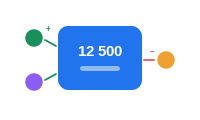
Shared balance
Every check is paid from the team balance, and any member can top it up.
No per-seat fees
The team and invitations are free, with no limit on members. You pay only for checks.

500 tokens to start
If your balance is below 500 tokens, the team starts with 500.
Team management
Team name, logo, shared balance and members on one page.
Financial Report
Which member spent tokens and on what, by day, for the last 14 days.
Who needs a team
Six situations where shared projects and balance save time and money.
SEO agency
Specialists work on the same client projects without sending each other reports.
In-house SEO
The link builder, content manager and SEO specialist see the site's rankings, indexation and links in one place.
One bill for everyone
The company tops up one balance instead of handing out tokens to every employee.
New hire
Invite them by email: they see all of the team's projects and check history right away.
Spending control
Financial operations show which member spent tokens and on what.
Working with a client
Invite the client into the team so they can see their site's rankings and checks themselves.
Create Team Quickly
Enter the team name, your email and your colleagues' emails, and we send them invitations. The team gets at least 500 tokens on its balance.
FAQ
How much does a team cost?
A team is free, with no per-seat fee. Checks are paid with tokens from the team balance at the usual prices.
What happens to my balance?
Tokens from your balance move to the team balance, and all payments come from it from then on. If you have fewer than 500 tokens, the team starts with 500.
What do team members see?
All checks, rank tracking projects, indexation and other records created by anyone in the team. Every member can edit them too.
Who can top up the team balance?
Any member: buy any plan and the tokens go to the team balance.
How do I invite a colleague?
Enter their email on the team page and we send an invitation email. Once they accept, they appear among the members and you get a notification.
How do I see who spends tokens?
The team page shows financial operations for the last 14 days: member, date, amount and what it was spent on.