URL analysis: backlinks, keywords and page traffic
Paste a list of pages — yours or competitors' — and see how many links point to each one, which keywords it ranks for in Google's top 10 and how much organic traffic it brings.
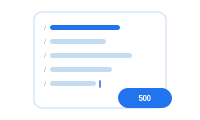
URL list
Paste up to 500 URLs, one per line: pages of your own site or competitors'.
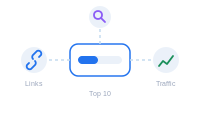
Data collection
For each URL we collect the top 20 backlinks and Google top-10 keywords in the site's two main audience countries.
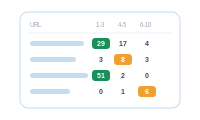
Summary table
Backlinks, domains, keywords in top 1–3, 4–5, 6–10 and organic traffic — one row per URL.
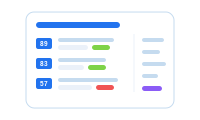
URL card
Backlinks with DA, anchor and link type, keywords with volume and position.
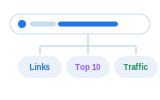
Page data, not domain data
Backlinks, keywords and traffic are counted for a specific URL — you see exactly which page pulls the site to the top and what backs it up.
Pay-as-you-go
Pay only for the URLs you analyze — ~$0.02 per URL, no subscription or monthly fees.
Sign up and get 100 free tokens — enough to analyze 20 URLs.
Calculate the costURL summary table
All URLs of a request in one table: how many links and keywords each page has and how much organic traffic it brings.
Backlinks for URL
The URL card starts with a page summary, followed by the top 20 backlinks sorted by the referring domain DA, one per domain.
Keywords and positions
Keywords the URL ranks for in Google's top 10 in the site's two main audience countries, with volume and position.
Why analyze URLs
Six tasks that page analysis covers — from competitor research to auditing your own site.
Competitors' pages
Which competitor pages collect traffic and how many links keep them at the top.
Pages close to the top
Keywords in the top 4–10 are the first candidates for link building: a few links can lift them to the top 3.
Anchor list
Which anchors and dofollow links point to the leading pages — a basis for your own anchor list.
Finding donors
Domains that already link to competitors' pages — a ready list for outreach.
Checking an article before placing a link
Whether the donor page has its own traffic and keywords, or it's an article nobody sees.
Auditing your own site
Pages with no keywords and no links — candidates for a content update or internal linking.
How much does it cost?
Linktrust provide services using payment model pay-as-you-go, which means there're no monthly payments. Each service costs fixed amount of internal currency - tokens.
OK — Tool enabledSign up and get 100 free tokens — enough to analyze 20 URLs.
FAQ
What does URL analysis show?
For each page — the number of backlinks and referring domains, keywords in Google top 1–3, 4–5 and 6–10, and estimated monthly organic traffic. The URL card has the top 20 backlinks with DA, anchor and link type, and keywords with volume and position.
How is URL analysis different from domain analysis?
Domain analysis rates the whole site: Trust Score, traffic, age, spam. URL analysis looks at one specific page: which links point to it and which keywords it ranks for.
Where does the data come from?
We combine several data sources: backlink and keyword indexes, plus Similarweb to find the site's main audience countries.
Which countries are keywords collected for?
For the site's two main audience countries — up to 50 keywords per country with the most traffic, for which the page is in Google's top 10.
How many URLs can I check at once?
Up to 500 URLs per request, one per line. The check runs in the background — we'll notify you when everything is ready.
How much does it cost?
5 tokens (~$0.02) per URL, no subscription or monthly fees. You get 100 free tokens after sign-up.
Can I analyze competitors' pages?
Yes, any public URL — yours or someone else's. No access to the site or Search Console is needed.